
Step 1. Go to the media library and click on an image.

Step 2: Once you have clicked on the image, look for a section titled “Alternative Text”
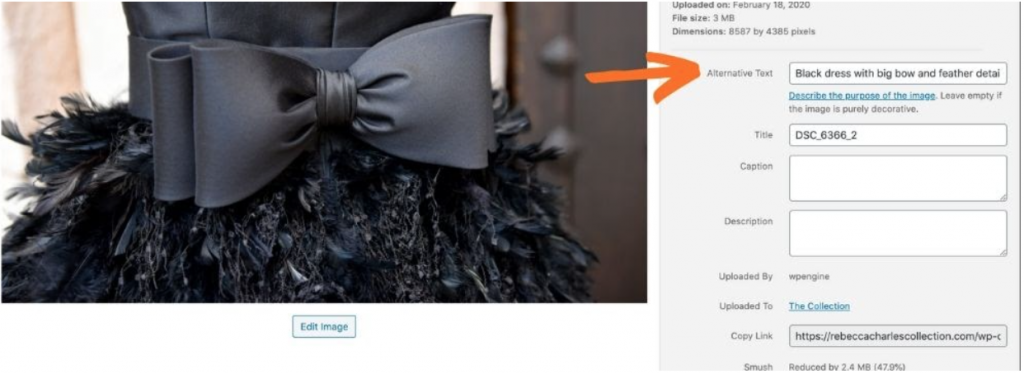
Step 3: This is where you’ll want to add in the alt tags. It’s best to use descriptive text.
Step 4: Repeat step 3 for the rest of the photos in the media library.