Website Training Library
Generic selectors
Exact matches only
Exact matches only
Search in title
Search in title
Search in content
Search in content
Search in excerpt
Search in posts
Search in posts
Search in pages
Search in pages
Adding Users
Home
/
User Management
/
Adding Users
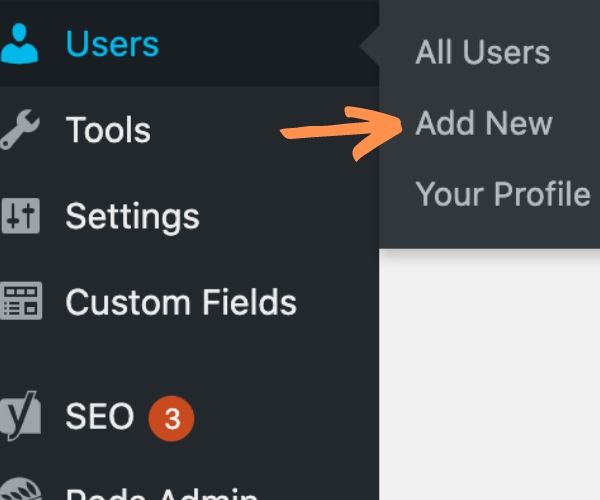
Go to
Users
from the main dashboard menu. Click
Add New.
Enter the required information (name, email, username, password). And choose
Client
from the user role drop-down menu.
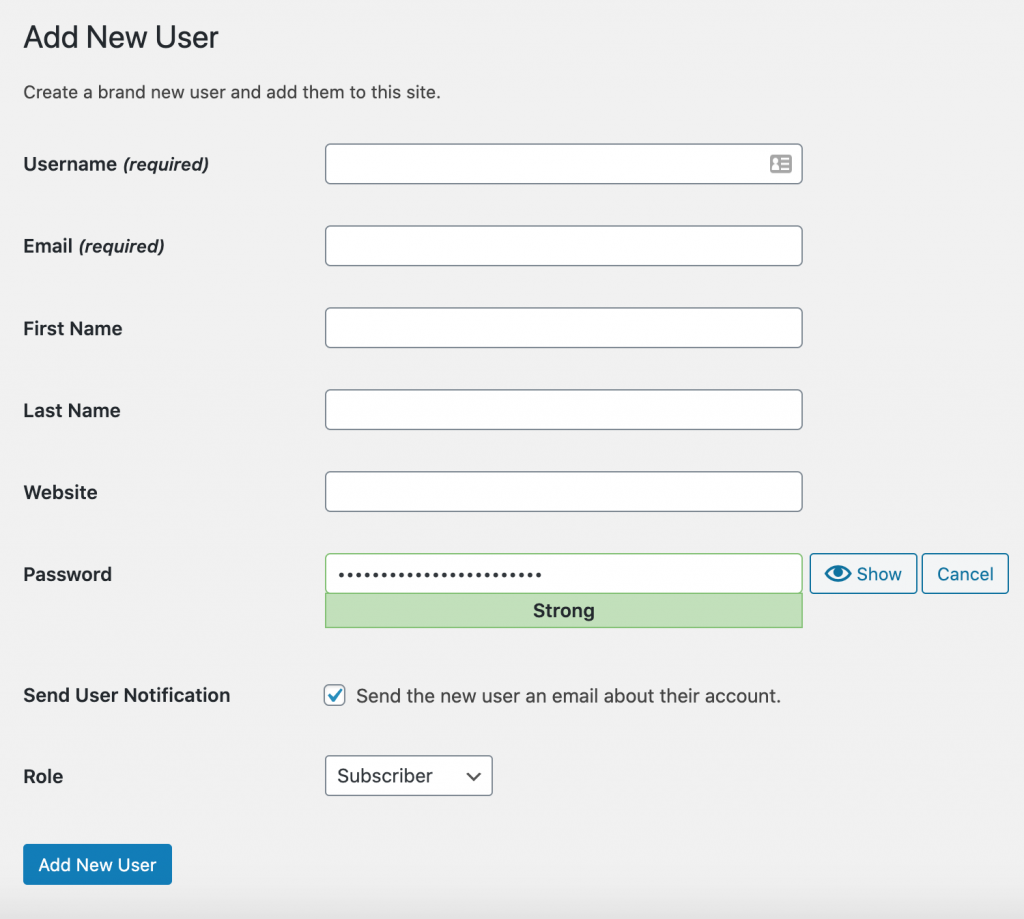
The “
Role
” section is where you’d select “
Client
“
Return to Top